

Blockaway net Review 2026: What It Actually Does (and Doesn’t) Protect You From

You typed “Blockaway net” into Google because you’re trying to answer one of two questions: can this thing actually get me onto a site my school, office, or country has blocked, or is it safe enough to trust with my browsing in the first place. Fair questions. Free web proxies have a bad reputation for good reason plenty of them are held together with ads, unclear data policies, and vague promises about “anonymity” that fall apart the second you look closely.
Blockaway net is one of the better-known names in this space in 2026, mostly because it’s simple: no downloads, no account, no browser extension. You open the site, paste in a URL, and it loads the page through Blockaway’s own servers instead of your direct connection. That’s the entire pitch.
This review goes past the marketing copy. We’ll cover exactly how Blockaway net works under the hood, what it protects you from (and what it doesn’t), how it compares to a real VPN, what current users are saying, and which alternatives make sense if Blockaway isn’t the right fit for what you’re trying to do. By the end, you’ll know whether it’s worth your five minutes and your traffic.
What Is Blockaway net?
Blockaway net is a free, browser-based web proxy technically a reverse proxy. Instead of installing software or changing your device’s network settings, you visit the Blockaway website, enter the URL of the page you want to reach, and Blockaway’s server fetches that page on your behalf and streams it back to you through its own domain.
To the website you’re visiting, the request appears to come from Blockaway’s server, not your device. Your real IP address stays hidden from that destination site. That’s the core mechanic, and it hasn’t really changed since Blockaway first became popular as a quick way around school and office network filters.
It’s built for one narrow, specific job: getting a single browser tab past a block. It is not a full privacy tool, and this matters it doesn’t claim to be, even if some third-party “reviews” make it sound like one.
Key Takeaways about Blockaway net
- Blockaway net is a free, no-install, browser-based proxy that hides your IP from the sites you visit and helps bypass local network blocks and geo-restrictions.
- It only protects the browser tab it’s running in not your entire device, and not other apps.
- Your traffic is decrypted on Blockaway’s own servers before being forwarded, and there’s no independent audit confirming what is or isn’t logged.
- It handles simple, mostly-static sites well; DRM-protected streaming services and heavily scripted web apps are its weak point.
- A paid tier (~$3.50/month) removes ads and improves speed and stability.
- For anything beyond casual, low-stakes browsing, a proper audited VPN covers more ground and carries fewer unanswered privacy questions.
Also Read: Commercial Drone Market Statistics 2026: Full Data Breakdown
How Blockaway net Actually Works
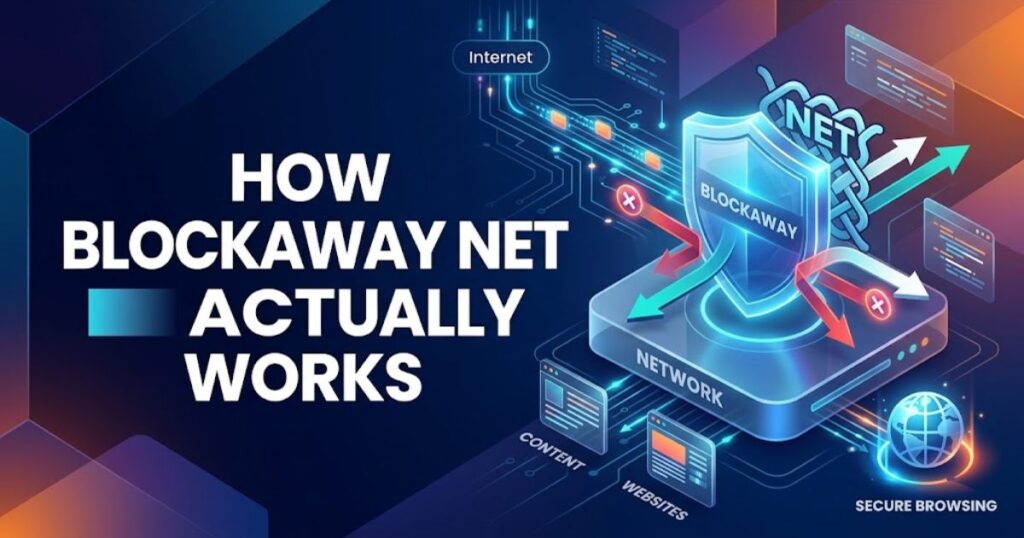
Understanding the mechanics is the fastest way to understand its limits, so it’s worth walking through step by step:
- You submit a URL into Blockaway’s proxy field.
- Blockaway’s server requests that page on your behalf, the same way your browser normally would.
- The page is rewritten on the fly so that every link, script, and asset on it loads through Blockaway’s domain instead of the original site’s domain otherwise the page would break the moment it tried to load an image or script directly.
- The rewritten page is sent back to your browser, and you interact with it as if you’d visited the site directly.
That rewriting step is where most free proxies struggle, and Blockaway is no exception. Modern sites load dozens or hundreds of dynamic assets APIs, embedded video players, single-page-app frameworks and rewriting every single reference correctly is genuinely hard. This is the technical reason proxies like Blockaway tend to work cleanly on simpler sites and get glitchy or fail outright on complex ones like Netflix or banking portals.
Key Features
- No installation or account required Everything happens in a single browser tab.
- Multiple server locations, primarily in the United States and Europe, so you can pick a region to route through.
- SSL encryption on the connection between your browser and Blockaway’s server.
- IP masking The destination site sees Blockaway’s IP, not yours.
- A paid tier (around $3.50/month at the time of writing) that removes ads and offers faster, more stable connections.
- Works well for mainstream sites like YouTube and most social platforms; struggles with sites that use heavy fingerprinting or bot-detection, like streaming platforms with strict DRM.
Is Blockaway net Safe to Use?
This is the question that actually matters, so let’s be precise about it rather than giving a blanket yes or no.
What Blockaway does protect you from: On a network that’s watching which sites you connect to a school, office, or public Wi-Fi filter Blockaway hides that from the local network administrator. They see a connection to Blockaway’s domain, not the site you’re actually visiting. For that specific, narrow use case, it works as advertised.
What it doesn’t protect you from and this is the part most reviews skip over: every proxy, including Blockaway, has to decrypt your traffic on its own servers in order to forward it. That’s not a flaw specific to Blockaway; it’s simply how a reverse proxy has to function. But it means Blockaway’s servers see your traffic in readable form at the point they process it.
There’s no published audit or transparency report confirming what is or isn’t logged, so any “we don’t log your data” claim from a free, non-audited service can’t be independently verified in either direction. This is fundamentally different from a proper VPN, which encrypts your traffic end-to-end and, in the case of audited providers, has that no-logs claim independently verified.
Third-party trust scanners (Scam Adviser, VirusTotal, Sucuri) generally return clean results for Blockaway net no malware, no phishing indicators, valid SSL. So it’s not a scam site in the sense of stealing credentials or installing malware. But “not malicious” and “private” are two different claims, and it’s worth keeping them separate when you’re deciding what to run through it.
Bottom line: fine for a quick, low-stakes page load checking a blocked news article, watching a public YouTube video. Not the right tool for logging into banking, email, or anything where the content of the session itself is sensitive.
Related Post: iCryptox com Review 2026: What the Marketing Says vs. What We Could Actually Verify
Blockaway net vs. a VPN: What’s the Real Difference?
People often reach for “proxy vs. VPN” comparisons without explaining why the distinction matters practically, so here’s the version that actually helps you decide:
| Blockaway net (Web Proxy) | A Standard VPN | |
|---|---|---|
| What it covers | Only the traffic inside the browser tab you’re using | Your entire device’s internet connection |
| Encryption | SSL between you and Blockaway’s server only | End-to-end encryption across your whole connection |
| Setup | None just open the website | App install and configuration |
| Speed | Depends on shared server load; can be slow at peak times | Generally more consistent, especially on paid tiers |
| Cost | Free (with ads) or ~$3.50/month for premium | Usually $3–12/month depending on provider |
| Best for | One-off access to a blocked page, no install allowed | Ongoing, device-wide privacy and security |
The practical takeaway: if you need to unblock a single page for two minutes on a locked-down computer where you can’t install anything, Blockaway does the job a VPN app can’t because you can’t install the VPN app. If you’re regularly trying to protect your browsing, stream reliably, or use apps outside the browser, a VPN is doing a fundamentally different and larger job.
Pros and Cons
Pros
- Genuinely zero setup works in seconds on any device with a browser
- No account, email, or personal details required to use the free tier
- Effective at hiding your IP from the destination site
- Clean, uncomplicated interface no confusing settings
- Comes in handy on networks where you have no admin rights to install anything
Cons
- Free tier includes ads, and some users report ads that feel intrusive or borderline sketchy
- No independently verified privacy policy or no-logs audit
- Only protects the browser tab it runs in not your whole device
- Struggles with sites that use heavy JavaScript, DRM, or anti-bot detection (streaming services in particular)
- Shared servers mean speed varies a lot depending on time of day
- Doesn’t defend against browser fingerprinting (fonts, screen size, WebGL, timezone) a site can often still infer who you are through those signals even with your IP hidden
How to Use Blockaway net (Step by Step)
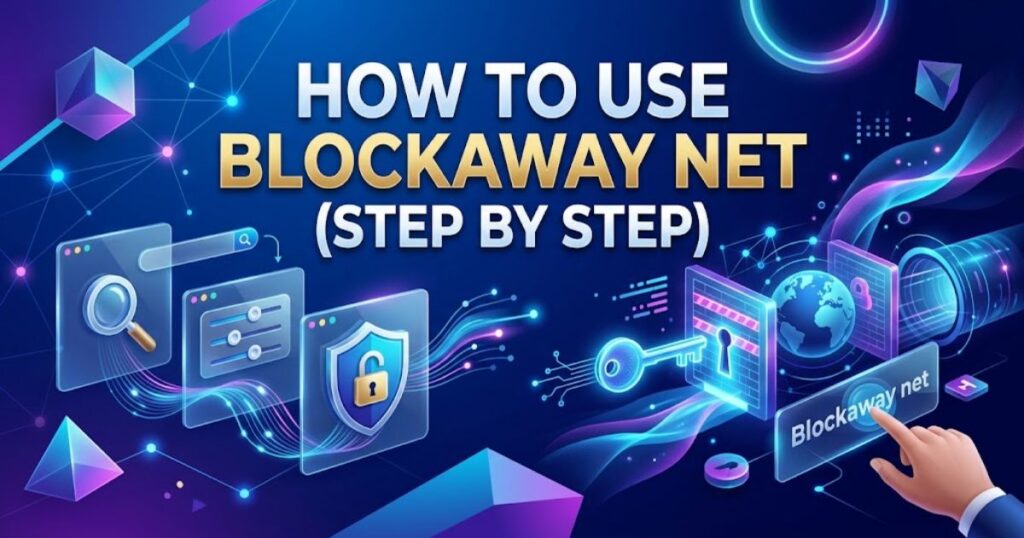
- Go to Blockaway.net in any browser desktop or mobile both work.
- Paste the URL of the site you want to reach into the proxy input field.
- Choose a server region if the option is available (US or Europe).
- Hit go. The page loads through Blockaway’s domain within a few seconds.
- Browse normally links on the page will continue routing through Blockaway automatically.
If a page loads incorrectly or a video won’t play, that’s usually the asset-rewriting limitation described earlier, not something you’re doing wrong. Switching server regions sometimes helps; for heavily protected sites, it often doesn’t.
What Users Are Actually Saying
Independent chatter about Blockaway is thin compared to major VPN brands, simply because it’s a free, no-account tool with no built-in community. What does surface in forum threads and social posts tends to agree on the same two points: it’s reliable for YouTube and mainstream social platforms, and video-heavy or interactive sites are where it starts to lag or misbehave. That lines up with the technical explanation above: simple, mostly-static pages proxy cleanly; complex, script-heavy apps don’t.
Blockaway net Alternatives Worth Knowing
Blockaway is a reasonable tool for exactly what it’s built for. If your needs go beyond “unblock one page, right now,” here’s where people typically go next:
- CroxyProxy — similar web-based proxy, generally handles heavy JavaScript and video-streaming sites a bit better than most free competitors.
- ProxySite.com — one of the longest-running free web proxies, with a larger spread of server locations and quick-links to popular sites.
- Proton VPN — a genuine VPN with a strong, independently audited privacy record; its free tier is more stable than a browser proxy, and it covers your whole device, not just one tab.
- Mullvad VPN — built around minimal data collection by design (no email required to sign up); a solid pick if privacy is the actual priority rather than just convenience.
- Residential proxy services (for heavier or professional use cases like scraping or account management) these use IPs tied to real residential connections, which pass verification checks that data-center IPs like Blockaway’s often fail.
If your goal is device-wide privacy rather than unblocking a single page, a VPN is simply solving a different and bigger problem than Blockaway is designed for.
Who Should Actually Use Blockaway net?
- Students or office workers who occasionally need to reach a blocked but harmless site (a news article, a YouTube video) on a locked-down network good fit.
- Anyone trying to stream Netflix, Disney+, or similar DRM-protected services poor fit; these platforms actively detect and block proxy traffic.
- Anyone logging into anything sensitive (banking, email, work accounts) don’t use a free, unaudited proxy for this, on Blockaway or any competitor.
- People who need privacy across their whole device, not just a browser tab a VPN is the right category of tool, not a proxy.
Frequently Asked Questions
Is Blockaway net free?
The core proxy service is free to use, supported by ads. A paid tier (around $3.50/month) removes ads and improves speed and connection stability.
Is Blockaway net safe to use?
It’s not flagged as malicious by major security scanners, and it does hide your IP from the sites you visit. However, it isn’t independently audited for data logging, and your traffic is visible to Blockaway’s servers while it’s being processed. It’s reasonable for casual, low-stakes browsing not for sensitive logins like banking or email.
Does Blockaway net work with Netflix or other streaming platforms?
Generally, no. Streaming platforms use DRM and bot-detection systems that most free web proxies, including Blockaway, aren’t built to get past reliably.
Is Blockaway net the same as a VPN?
A VPN encrypts and routes your entire device’s internet traffic end-to-end. Blockaway only proxies traffic within the browser tab you’re using, and its encryption only covers the connection to Blockaway’s own server, not all the way to the destination site.
Is using a proxy like Blockaway net legal?
In most countries, yes using a proxy itself isn’t illegal. However, using it to bypass restrictions set by your school or employer may violate that organization’s acceptable-use policy, even if the proxy itself is legal to use.
Does Blockaway net protect against browser fingerprinting?
It hides your IP address, but it doesn’t mask fingerprinting signals like your fonts, screen resolution, WebGL data, or timezone all of which sites can use to identify you even with your IP hidden.
What’s the best free alternative to Blockaway net?
CroxyProxy and ProxySite com are the closest free, no-install alternatives. For device-wide protection rather than single-tab browsing, Proton VPN’s free tier is a stronger long-term option.
Conclusion
Blockaway net does exactly one job, and it does that job reasonably well: getting a browser tab past a network block with zero setup. For a student trying to check a blocked news site or someone who wants quick access to YouTube on a filtered network, it’s a legitimate, no-cost option that isn’t flagged as malicious by any major security scanner.
Where it falls short is anywhere the marketing language of “anonymous browsing” gets stretched further than the technology actually supports it’s not encrypted end-to-end, it’s not audited, and it doesn’t touch anything outside the tab it’s running in. Use it for what it’s built for, skip it for anything sensitive, and reach for a proper VPN the moment your needs grow beyond a single page load.


